

Ticket identity
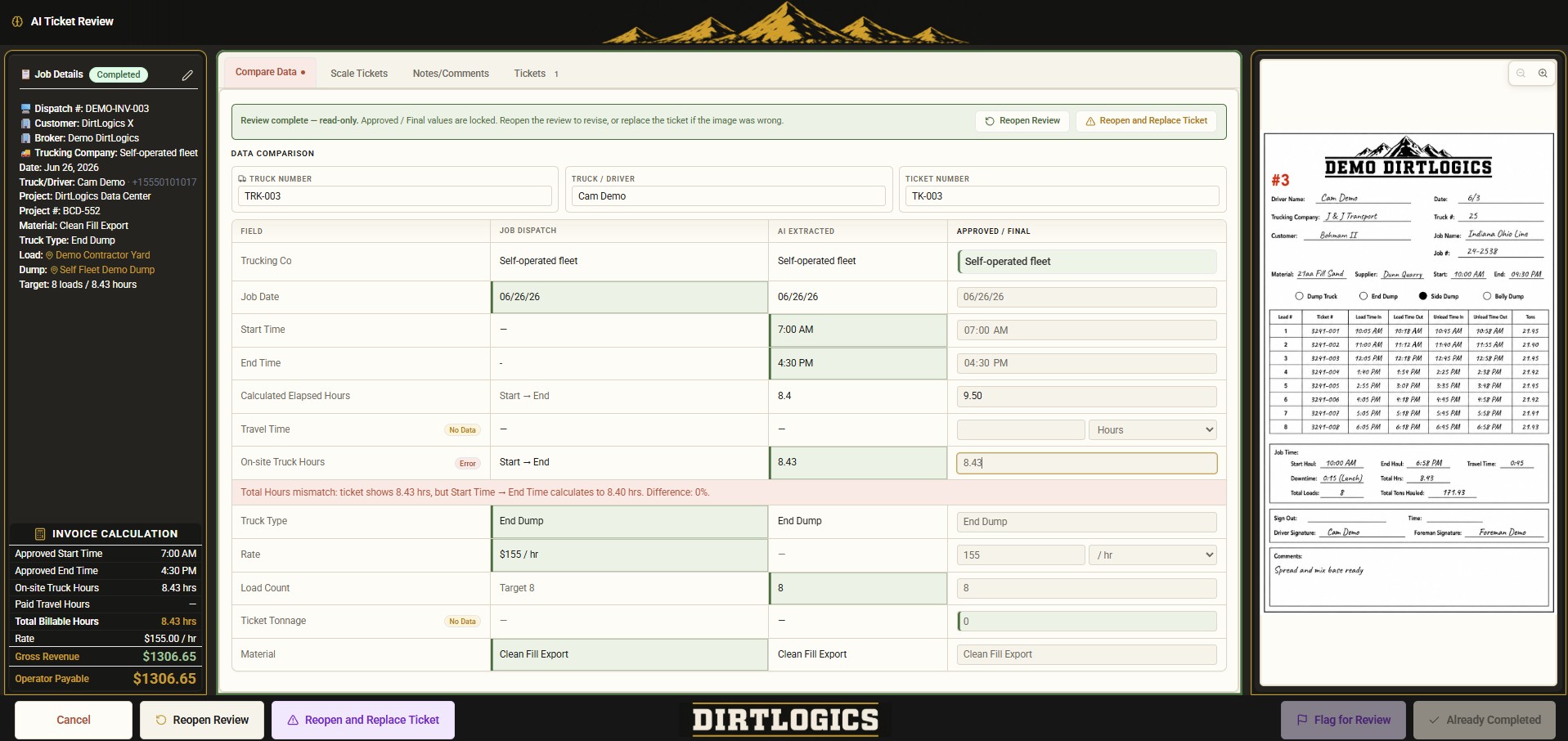
Ticket number, driver/company, job date, and truck number from uploaded haul or scale tickets.
Construction ticket OCR & driver ticket review
DirtLogics helps contractors, brokers, and dispatchers review uploaded driver tickets before customer billing or operator payables. Construction ticket OCR and haul ticket OCR extract scale ticket data — ticket numbers, hours, tonnage, and materials — while your office stays in control. AI flags missing ticket data; humans approve before completion.
The problem
Construction trucking ticket software should do more than store photos. Most teams still struggle because:
DirtLogics is ticket review software for trucking teams that need construction ticket OCR and a clear driver ticket review step before money moves.
What DirtLogics helps review
AI ticket review for construction trucking focuses on the operational and financial fields your office needs before receivables or payables — not blind automation.
Ticket number, driver/company, job date, and truck number from uploaded haul or scale tickets.
Start/end time, total hours, tonnage, material, and load count extracted for review.
Notes and comments from the ticket image, preserved as evidence alongside extracted values.
Missing or mismatched fields surfaced before ticket data reaches billing or payables.
Ticket workflow
Construction trucking ticket software should connect upload, OCR, review, and payables. Construction dispatch software gets the job started; AI ticket review finishes the ticket side before money moves.
Drivers submit ticket photos through an upload link tied to the right dispatch — not a loose group-chat photo.
Construction ticket OCR and scale ticket OCR pull ticket numbers, hours, tonnage, material, and truck details from the image.
Dispatchers and office staff compare extracted values to the ticket image, fix errors, and resolve flagged issues.
Reviewed ticket data supports cleaner receivables and operator payables — with missing ticket data caught earlier.
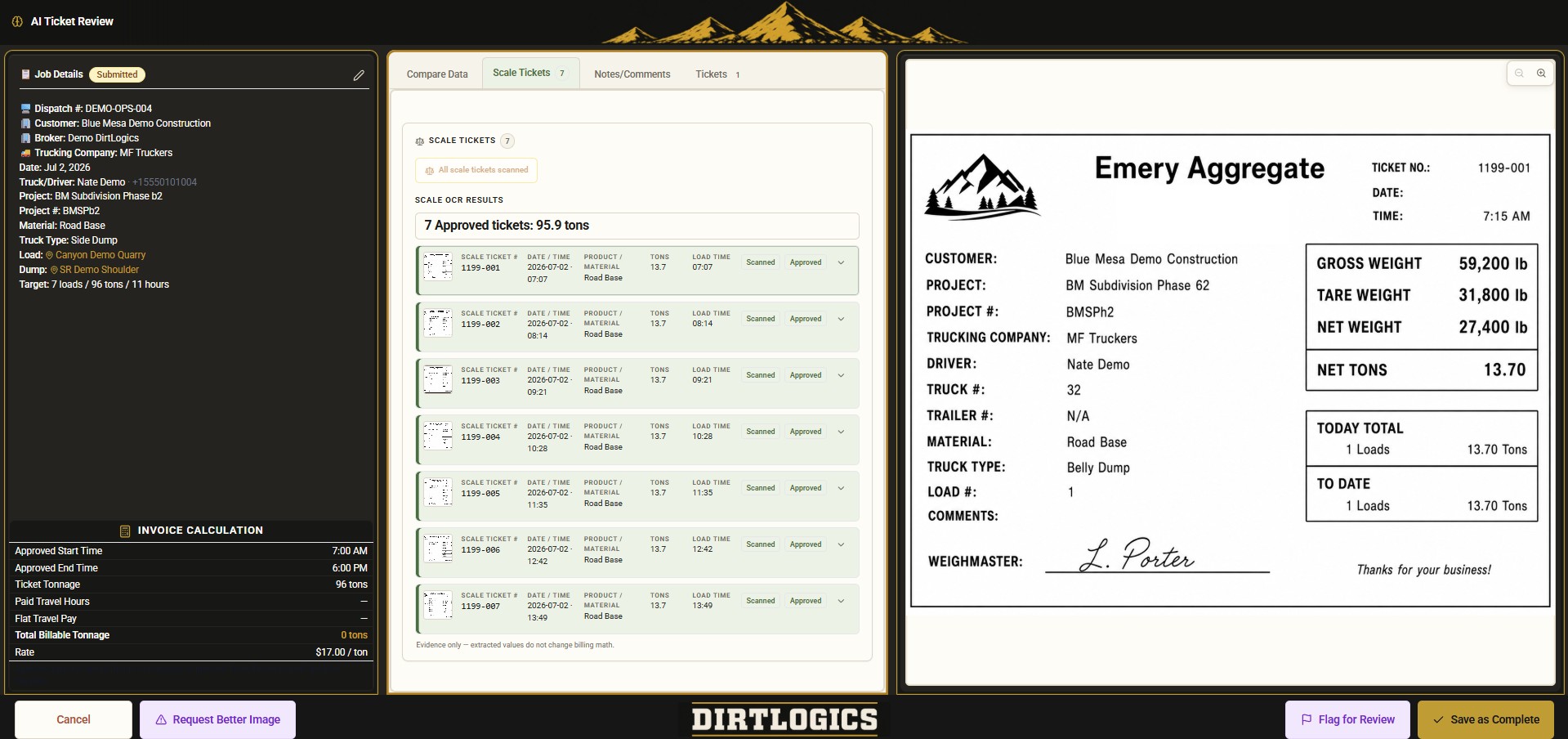
Tickets stay tied to the dispatch before OCR and review begin.
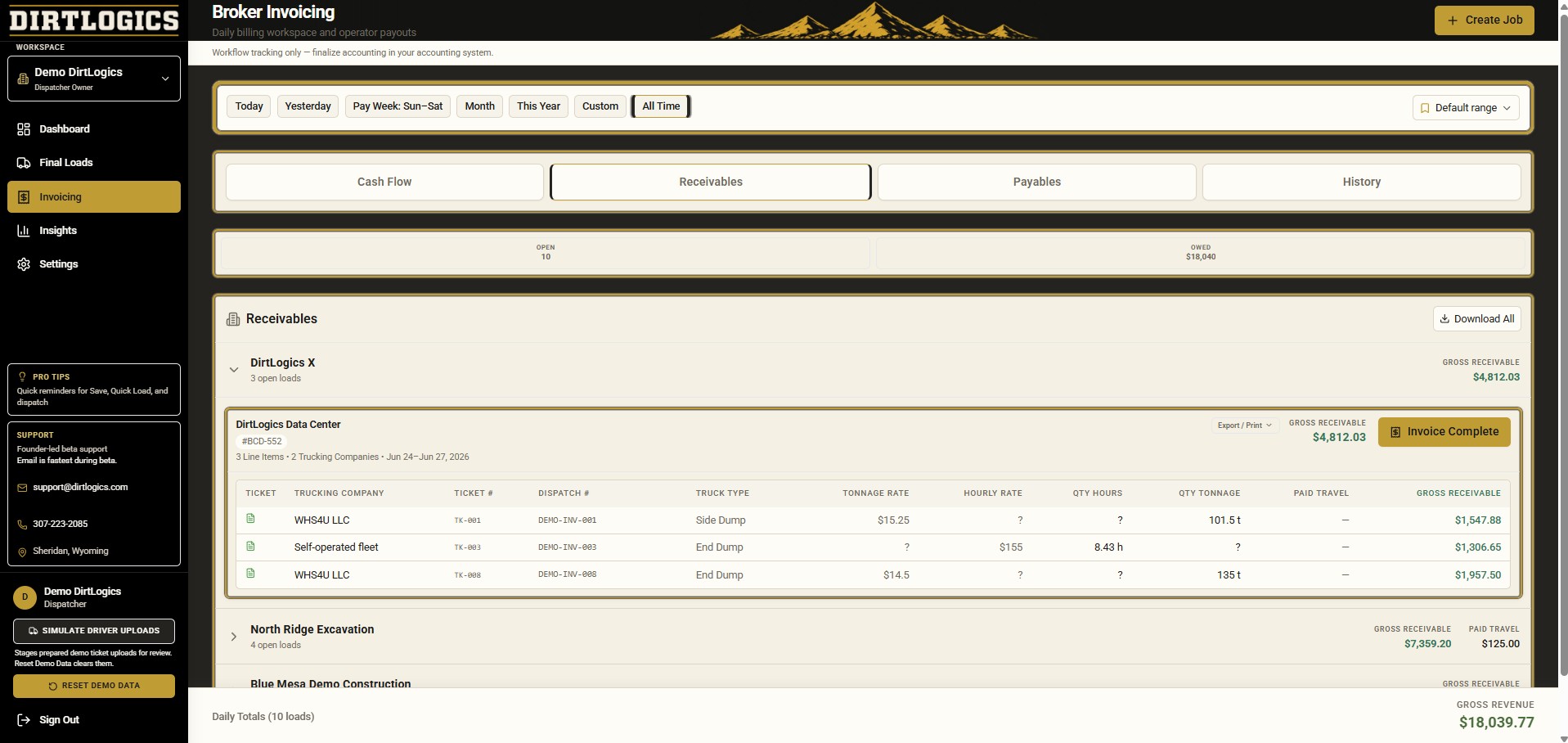
Reviewed ticket data feeds cleaner billing and operator payables workflows.
Human review first
AI helps detect and extract ticket fields from driver uploads — construction ticket OCR and haul ticket OCR are evidence tools, not automatic billing truth. Your office reviews and corrects extracted values before a ticket is treated as complete. Dispatchers stay in control before jobs are finalized, tickets are approved, or payables are prepared.
Built for
Whether you run trucks, broker haulers, dispatch from the office, or handle payables, driver ticket review should not mean retyping every scale ticket by hand.
Review fleet ticket uploads, catch missing ticket data, and keep job paperwork ready for billing.
Review operator tickets across trucking companies before receivables and payables are prepared.
Compare AI-extracted ticket fields to the image, fix errors, and clear flagged issues before completion.
Get cleaner ticket numbers, hours, tonnage, and materials before operator payables and customer invoicing.
Related workflow
AI ticket review works alongside dispatch, triage, and billing. See the full product on the homepage showcase or start from construction dispatch software.
Identify missing, unclear, or mismatched ticket uploads before they become invoice or payables problems.
Start from dispatch text, build the job, then collect and review driver tickets in the same workflow.
Send clearer driver-facing dispatch details so ticket uploads come back tied to the right job.
Move reviewed ticket data toward customer receivables and operator payables without spreadsheet rebuilds.
See it live
Get a demo to see how DirtLogics helps construction trucking teams review driver tickets with AI, catch missing ticket data, and prepare cleaner billing and payables.