
Receivables and payables in one workstation
See customer receivables and operator payables with clearer job and ticket context.
Construction trucking invoicing & operator payables
DirtLogics helps contractors, brokers, dispatchers, and office teams keep customer receivables and operator payables tied to dispatches, drivers, tickets, rates, and job records. Ticket to invoice software should start with completed ticket review — then hand off cleaner construction hauling invoice records without spreadsheet rebuilds.
The problem
Invoicing and payables often break down before the office ever opens billing software:
Construction trucking invoicing software should keep the ticket, job record, and money workflow together — from dispatch through review to receivables and payables.
The DirtLogics billing workflow
Billing starts upstream. Connect dispatch, driver ticket uploads, and AI ticket review before receivables and operator payables handoff.
Jobs, drivers, and operators stay tied to dispatches while drivers submit ticket photos through upload links.
Review extracted ticket numbers, hours, tonnage, material, and flagged issues before billing uses the data.
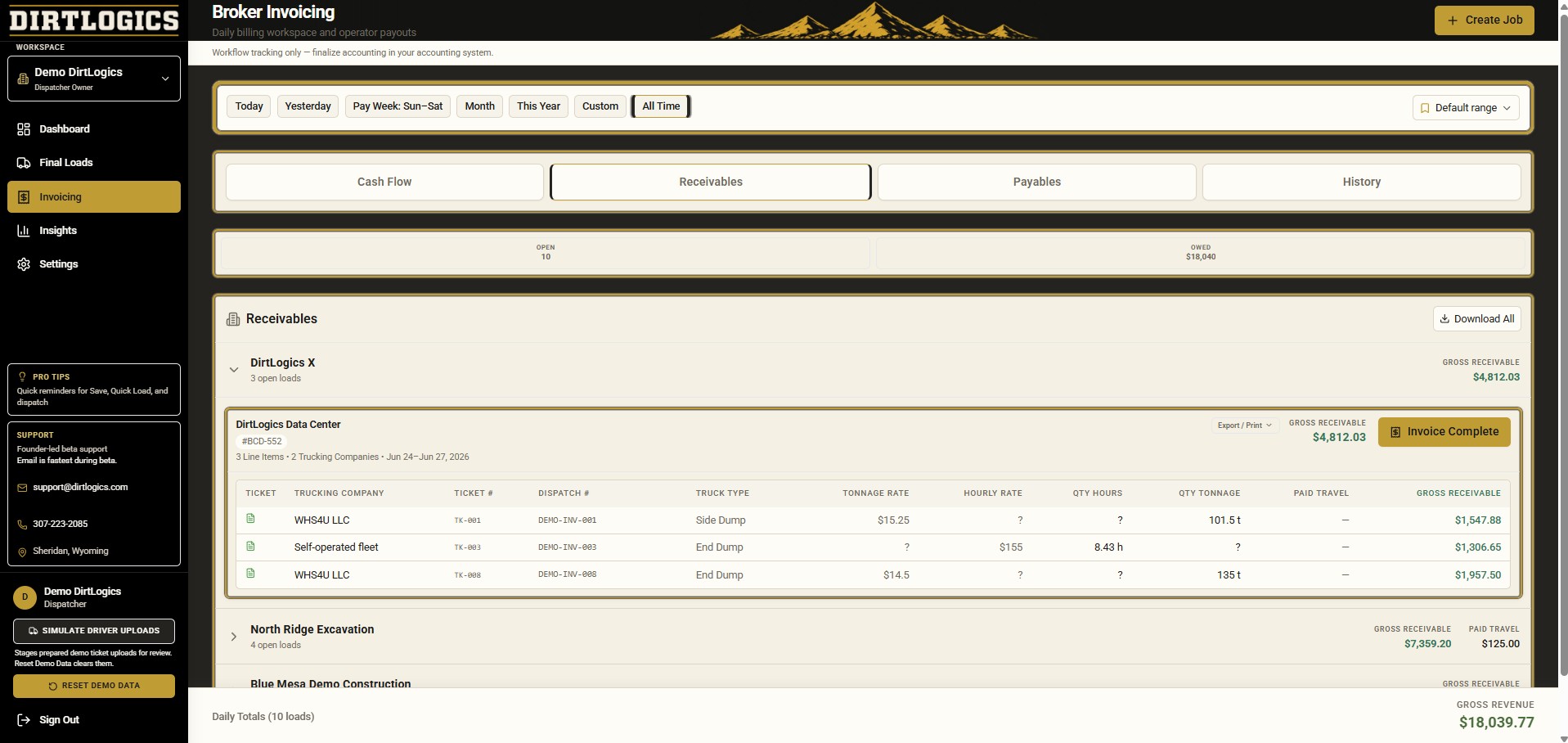
Customer billing records stay connected to completed jobs, projects, and reviewed ticket evidence.
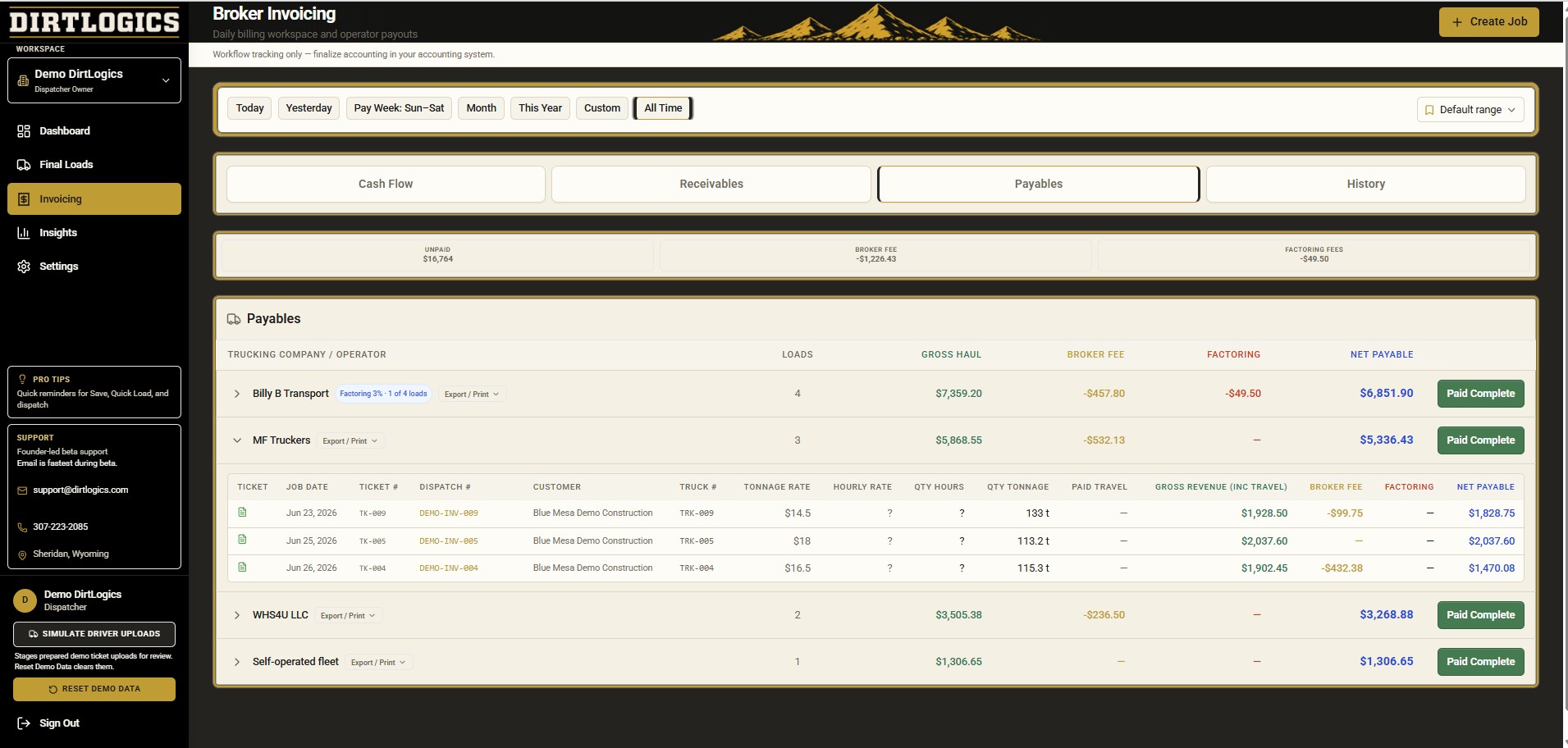
Trucking company and operator payables stay grouped with rates, broker fees where applicable, and pay status.
See customer receivables and operator payables with clearer job and ticket context.
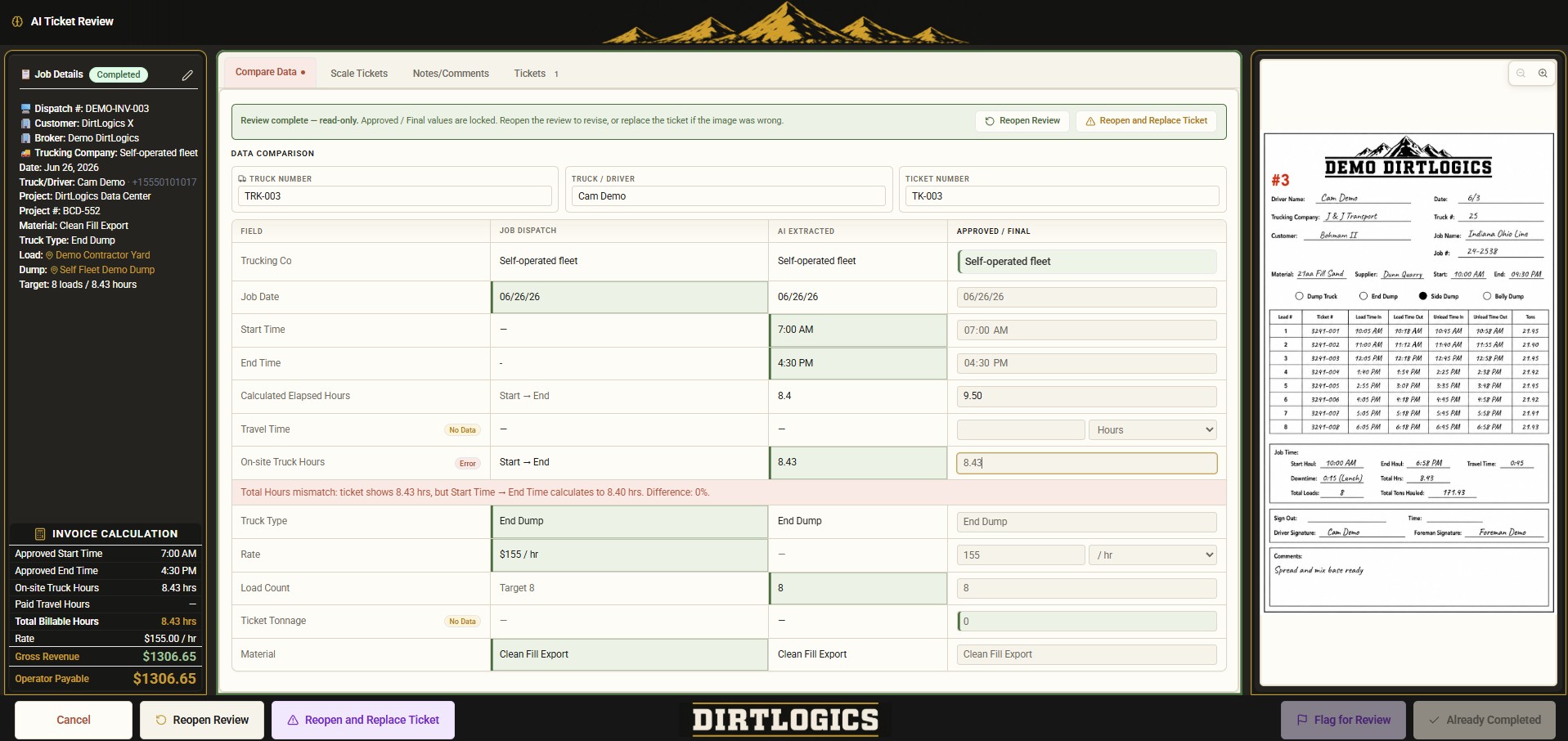
Completed ticket review feeds cleaner invoice-ready records downstream.
Receivables and payables stay separated
DirtLogics keeps customer receivables separate from trucking company/operator payables so contractors and brokers can see the workflow more clearly. Receivables and payables for trucking brokers need distinct views — customer invoice readiness on one side, operator payout tracking, broker fees, and payable status on the other — without mixing the math or losing ticket evidence.
What DirtLogics helps track
Construction hauling invoice software should reflect what dispatch and ticket review already captured — not a separate mystery spreadsheet.
Built for
Construction trucking payables and receivables touch dispatch, review, and office staff — not just accounting at the end of the week.
Track fleet jobs, reviewed tickets, and billing handoff without rebuilding records from texts and photos.
Separate customer receivables from trucking broker payables while tracking broker fees and operator payout status.
Keep dispatch context connected to tickets so billing teams are not guessing which job a haul belonged to.
Work from invoice-ready ticket records instead of retyping scale ticket billing data from group chats.
Prepare cleaner ticket batches and payable records for factoring review and office approval workflows.
Related DirtLogics features
See more on the homepage showcase, or explore how dispatch, uploads, review, and billing fit together across DirtLogics.
Collect ticket photos tied to dispatches before invoicing or payables work begins.
Review ticket numbers, hours, tonnage, and flagged fields before records reach billing.
Surface missing or unclear ticket uploads before they delay invoices and payouts.
Start from dispatch text and keep job records organized through ticket collection and review.
Send clearer driver instructions so ticket uploads come back tied to the right job — learn more.
See it live
Get a demo to see how DirtLogics helps construction trucking teams connect dispatch, ticket review, receivables, and operator payables from one workflow.