
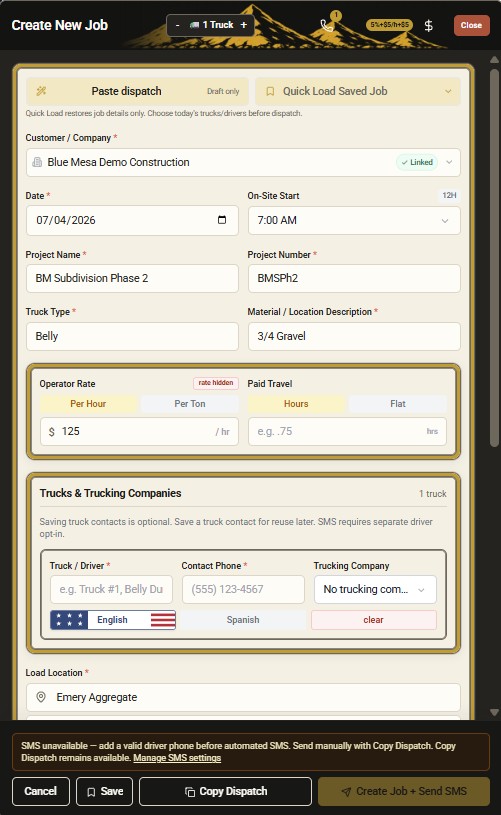
Create Job from dispatch text
Turn dispatch text to job details without rebuilding records by hand.
Construction trucking dispatch software
DirtLogics helps contractors, brokers, and dispatchers turn messy dispatch texts into structured jobs, send driver upload links, collect tickets, and keep receivables and construction trucking payables cleaner — from dispatch text to job through AI ticket review.
The old way
Most dirt and construction trucking teams still dispatch like this:
DirtLogics is construction dispatch software that connects those steps so the job record, ticket evidence, and payables workflow stay together.
The DirtLogics workflow
One workflow for construction dispatch software: paste the text, build the job with AI, send a driver ticket upload link, then review tickets before receivables and payables.
Start from the dispatch texts your customers, brokers, and field teams already send.
DirtLogics helps extract customer, project, truck type, material, locations, driver notes, and timing into a structured job.
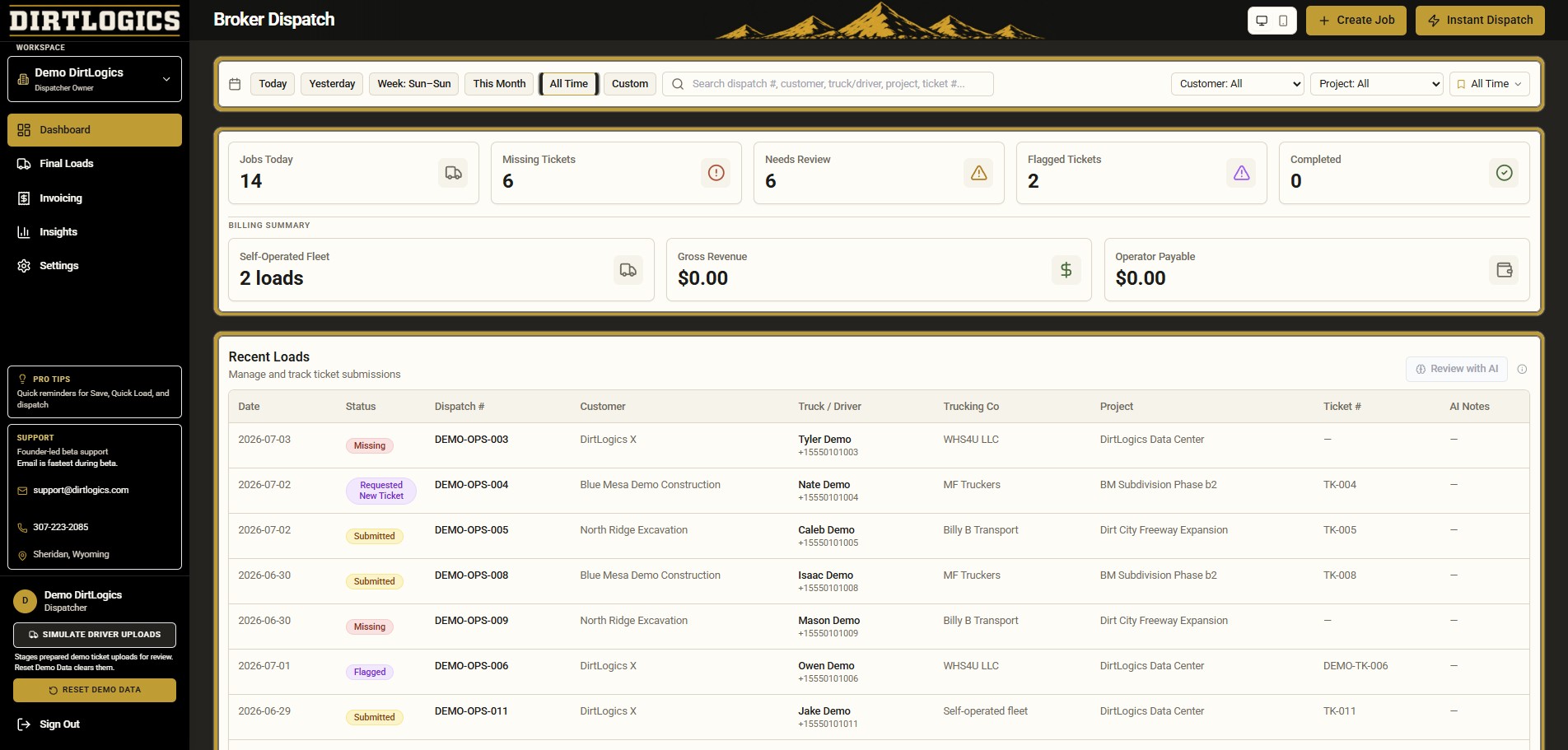
Send drivers a clean upload link so ticket photos stay tied to the right dispatch — no more lost group-chat photos.
Use AI ticket review to catch issues, then prepare cleaner receivables and construction trucking payables.
Turn dispatch text to job details without rebuilding records by hand.
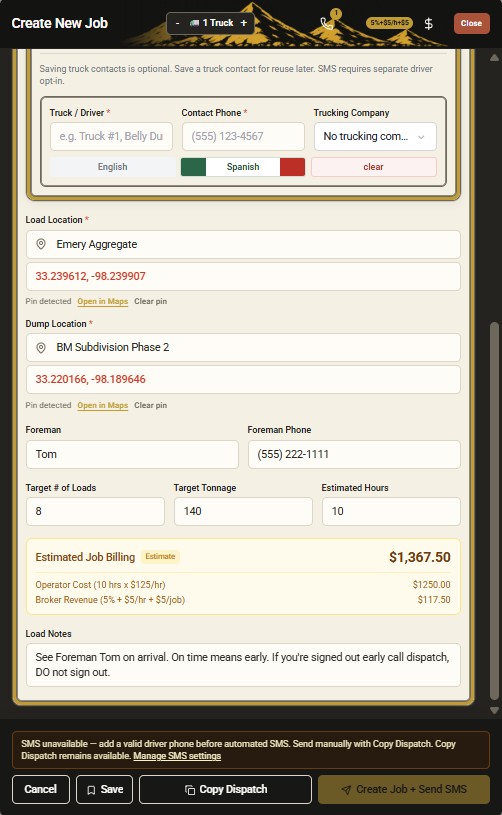
Send dispatch details and a ticket upload link from one workflow.
Who it is for
Whether you run your own trucks, broker outside haulers, or dispatch from the office, DirtLogics keeps construction trucking dispatch, tickets, and billing in one place.
Dispatch your fleet, collect driver tickets, and keep job paperwork organized without spreadsheet cleanup.
Turn customer dispatch texts into jobs, track trucking companies, and prepare receivables and operator payables.
Paste dispatch text, send driver upload links, review tickets with AI, and keep the office out of manual rebuild work.
AI
DirtLogics uses AI to speed up construction dispatch software workflows while keeping dispatchers in control before jobs go out, tickets are approved, or payables are finalized.
Paste a messy dispatch text and DirtLogics helps turn it into a structured job — dispatch text to job without manual re-entry.
Extract and review ticket numbers, hours, tonnage, material, truck data, and flagged issues before billing.
Identify missing, unclear, mismatched, or questionable ticket uploads before they become invoice or payables problems.
Write dispatch notes in English and generate Spanish driver-facing instructions, including long notes and job details.
See it live
Get a demo to see how DirtLogics helps teams move from dispatch texts to structured jobs, driver ticket links, AI ticket review, and payables — built for the dirt world.