
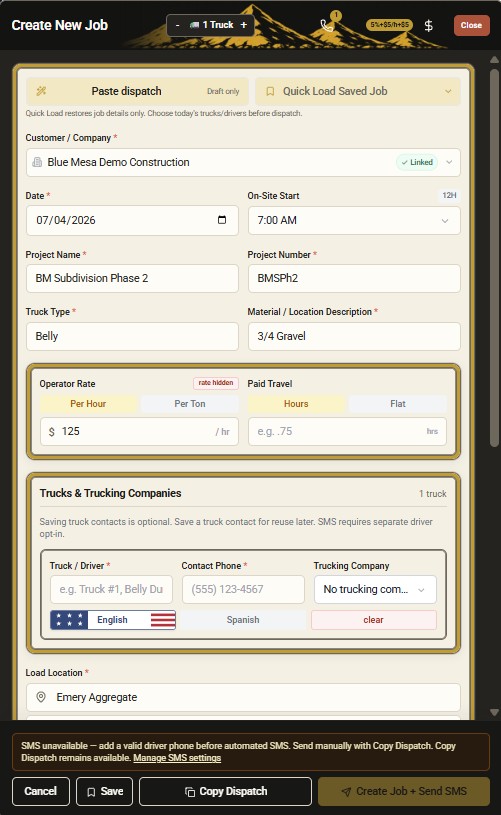
Create the dispatch first
Jobs, drivers, and projects stay tied together before ticket collection starts.
Driver ticket upload link & ticket collection
DirtLogics helps contractors, brokers, dispatchers, and office teams collect driver ticket photos through simple upload links tied to the right dispatch. Send a driver ticket upload link by text, collect scale ticket and haul ticket photos, and keep construction trucking ticket collection out of group chats — no driver app required.
The problem
Most construction trucking teams still collect tickets the hard way:
Driver ticket collection software should tie every truck driver ticket photo upload to the dispatch it belongs to — before billing or payables work starts.
The DirtLogics upload workflow
Ticket upload for trucking dispatch works best when the job exists first. Start from construction dispatch software, send the link, collect the photo, then move to AI ticket review before billing.
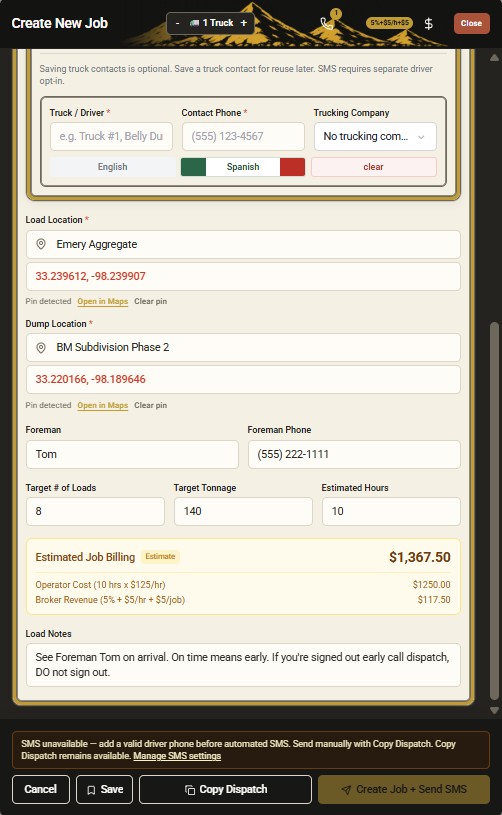
Build the job with customer, project, driver, trucking company, and dispatch details in DirtLogics.
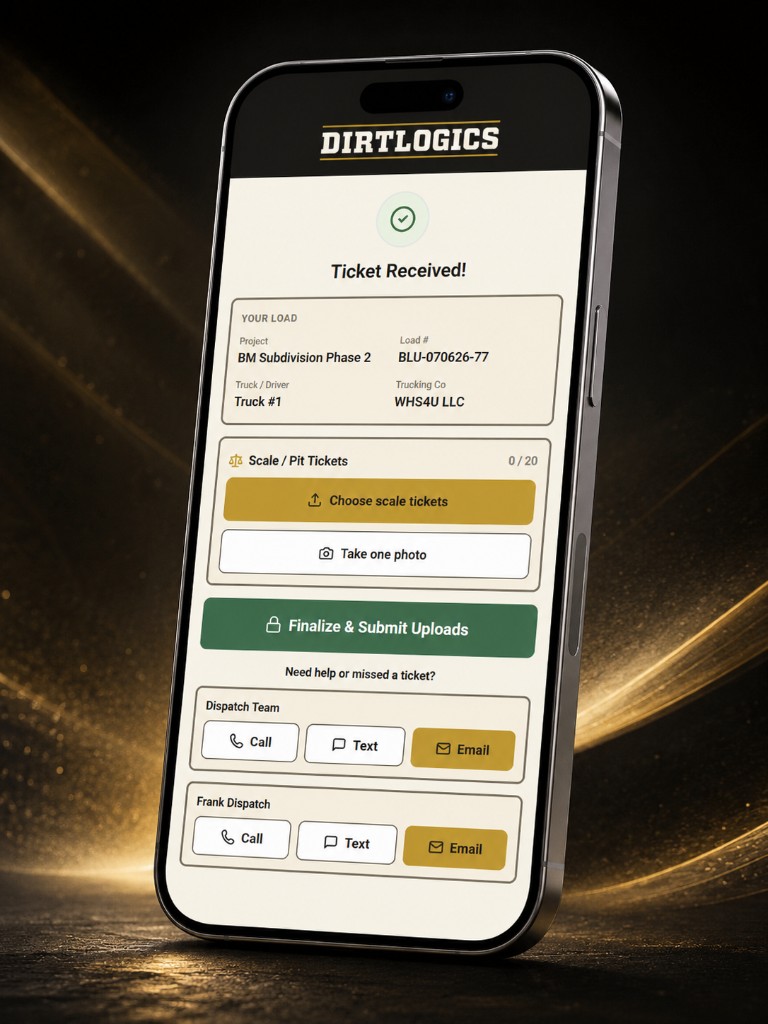
Send a driver ticket upload link with dispatch details so the driver knows exactly which job the ticket belongs to.
Drivers submit scale ticket or haul ticket photos through the link — digital haul ticket upload without a new app.
Office staff review the upload, resolve issues, and hand cleaner ticket records toward receivables and payables.
Jobs, drivers, and projects stay tied together before ticket collection starts.
Drivers get dispatch context and a ticket upload link in one message.
No driver app required
Field teams do not need a new driver app on every phone. DirtLogics sends a practical driver ticket upload link the driver can open from a text message, snap a photo of the scale ticket or haul ticket, and submit. That keeps truck driver ticket photo upload simple for drivers and gives the office a cleaner construction trucking ticket collection path.
Why ticket links matter
Driver ticket upload software should do more than collect images. Ticket links keep uploads tied to the dispatch from the start.
Built for
Whether you dispatch your own fleet or broker outside haulers, driver ticket collection should not mean chasing photos across text threads.
Collect fleet ticket uploads tied to the right job, project, and driver without manual photo matching.
Send driver ticket upload links across operators and keep ticket photos tied to the correct dispatch.
Send upload links with dispatch details so drivers submit scale ticket and haul ticket photos to the right load.
Receive ticket photos already tied to job records for faster review, billing, and payables handoff.
Related DirtLogics features
See more workflow screenshots on the homepage showcase, or explore how collected tickets move into review and payables.
Review uploaded ticket photos, extract key fields, and catch issues before billing or payables.
Flag missing, unclear, or mismatched ticket uploads before they become invoice problems.
Start from dispatch text, create the job, then send the driver ticket upload link from the same workflow.
Send clearer driver-facing dispatch and upload instructions for field teams that need Spanish.
Move collected and reviewed tickets toward customer receivables and operator payables without spreadsheet rebuilds.
See it live
Get a demo to see how DirtLogics helps construction trucking teams send driver ticket upload links, collect ticket photos tied to dispatches, and keep billing and payables moving.